
Noteshelf & Notability’s latest updates
Noteshelf Updates Version 8.3.4 They added more paper templates to the app’s templates library. […]
Noteshelf Updates Version 8.3.4 They added more paper templates to the app’s templates library. […]

You’d expect me to be excited about this new iPad Pro. We’re app reviewers,
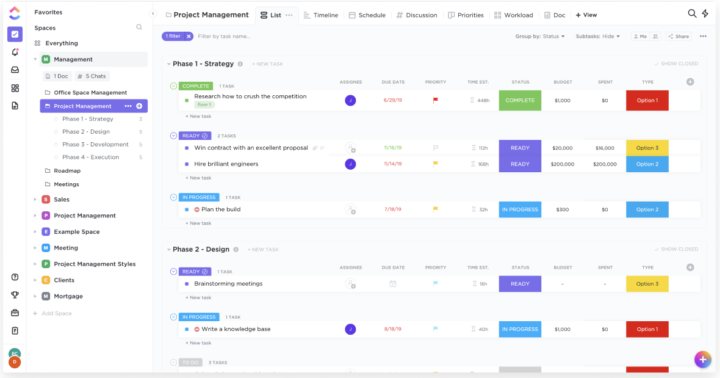
On your lists, you can choose what you see, so you can add and hide columns depending on what matters to you. We moved to ClickUp from Asana, and we’ve never looked back.
How much have you bought so far from the Notability shop? I’ve collected about

Google Keep is a free, simple note-taking and planning app from Google. It is

Version 8.0 Version 8.0 (released in August 2020) introduced vertical scrolling to the Noteshelf.

We love the fact that the app doesn’t lag or crash anymore. We pray this is actually a permanent bug fix. This would mean the app is usable and we can request more features from our developers.
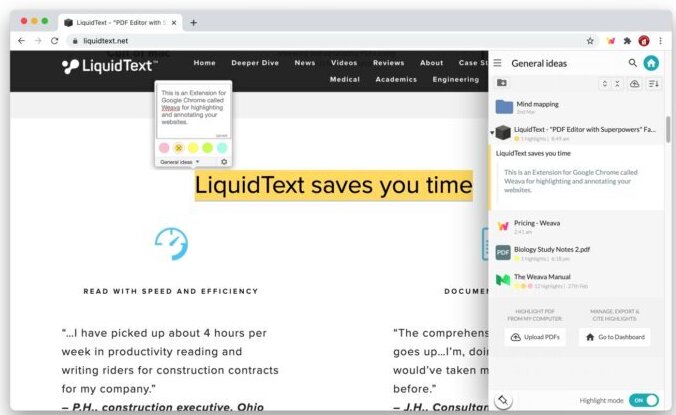
When doing online research, downloading information from different websites to catalogue it on your

Collaboration When you need to work with others, you can collaborate instead of sending


This was a much-needed update. Notability for the Mac has been buggy for months!
Pricing & supported OS uPad V is a handwriting note-taking app that is available
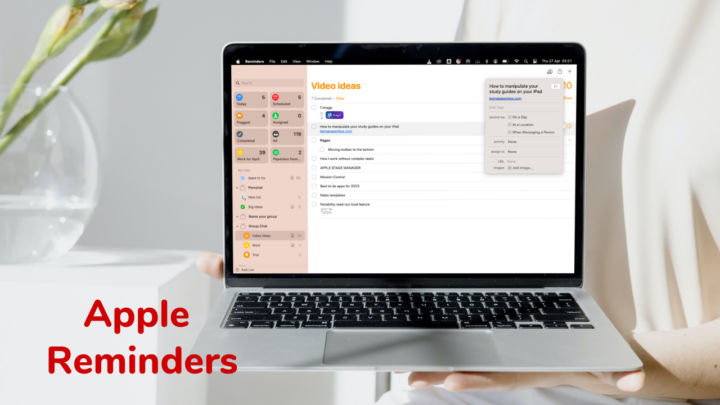
If you love staying in the Apple ecosystem, Apple Reminders is one of the best to-do list apps you can use.

Google Docs is free for personal use for anyone with a Gmail account, but

ZoomNotes Cost: $7.99 on iPadOS/iOS and $6.99 on macOS. Both are one-time purchases.Supported OS:
Why Apple Reminders Why Google Tasks Pricing & Supported OS Both Apple Reminders and

Google Calendar is a free calendar app by Google for tracking your events, tasks,

Noteshelf is perfect if you’re not big on buying planners every year and you

MarginNote’s 3.7 is a big update. Let’s breakdown each feature to see what capabilities