Fantastic human, hello!
Do you remember when multitasking on the iPad actually felt powerful? When Slide Over and Split View made it feel like a serious productivity machine? Those days when you could pull up Notes, Messages, and Safari in seconds — no drama, no waiting.
Well… Apple just brought Slide Over back in iPadOS 26.1. But before you get too excited, let’s talk about what that really means. Spoiler: this comeback isn’t quite the victory we hoped for.
When I first heard Slide Over was returning, I was thrilled — genuinely. Floating apps you could summon anywhere, anytime — that’s the multitasking dream. Imagine writing in Apple Notes full screen, and instantly pulling up Safari or Calendar in a mini window without leaving your note. That’s the kind of power the iPad used to give us.
But… here’s where things get messy. Slide Over still doesn’t work with full-screen apps. Disappointing, right?
And it gets worse. You can’t just drag and drop an app into Slide Over. You’ve got to open the multitasking menu, tap your way through a couple of steps, and then finally select Slide Over. It’s slower, clunkier, and — honestly — the opposite of intuitive.
At that point, I started thinking… maybe I’m missing something. Maybe it’s better once you use it. Nope. Because it only supports one app at a time now. Just one.
Gone are the days of stacking multiple apps and swiping through Notes, Mail, Safari, and Messages like a multitasking pro. That was the magic of the old Slide Over. Now it’s just… a single lonely window floating around your screen.
So yes — Slide Over is back, but it’s not really back. It’s like unwrapping a gift box and finding socks inside — technically a present, but not the one you were hoping for.
Still, part of me is just relieved it exists again. After losing so many multitasking tools in iPadOS 26, even a limited version feels like something to hold onto. If you’ve hated the windowed layout or missed that quick-access flexibility, Slide Over might give you a tiny bit of that old iPad magic — or just enough to remind you how good it used to be.
Now, there are a few bright spots. Slide Over is finally resizable. You can change its size, position it in any corner, and make it actually fit your workspace. Whether you’re reading an article, keeping your calendar nearby, or monitoring your email, that’s a small win.
Another nice touch — it now stays visible when you switch between apps. If you’re working in Pages and jump to Safari or Files, the Slide Over window stays on top. That consistency makes the experience feel a bit more polished, more connected.
But that also raises the question — why not let it work with full-screen apps? It’s literally floating on top of everything else already. You can move it, resize it, even drag it around. It should work — it just doesn’t.
And here’s something odd: that little Slide Over arrow? The one that lets you bring it back? Sometimes it just… disappears. Gone. Which makes it super easy to forget you even have a Slide Over window open. Out of sight, out of mind — not exactly what you want from a productivity feature.
Still, I find myself using windowed apps more just to make use of the one-app Slide Over window — even though I strongly dislike windowed apps. But, there’s no other choice.
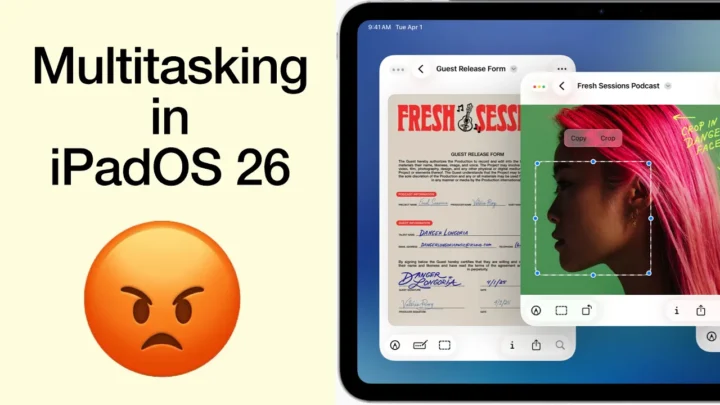
Multitasking on iPadOS 26 still feels half-baked. Stage Manager? Annoying and unnecessary. Split View? Functional but limited. And Slide Over — once the hero — now feels like the sidekick no one asked for.
So yes — I’m glad it’s back. But this version of Slide Over in iPadOS 26.1 is a step backwards. I just hope Apple listens and brings back the full multitasking magic we had around iPadOS 18 — when you could swipe through three or four floating apps like a boss. That was when the iPad felt alive.
Until then, we’ll make do with what’s left.
Also — random side note — is anyone else’s Apple Notes lagging terribly after updating? My handwriting has a massive lag and typing keeps freezing up. The iPhone screen is turning black for some reason. I haven’t lost any notes yet, though. So that’s at least a good thing.
What about you? Does this new Slide Over make your workflow smoother, or are you missing the old one like I am? Drop your thoughts in the comments — I’m really curious what everyone else thinks about this one.
And until next time, fantastic human — stay fantastic!