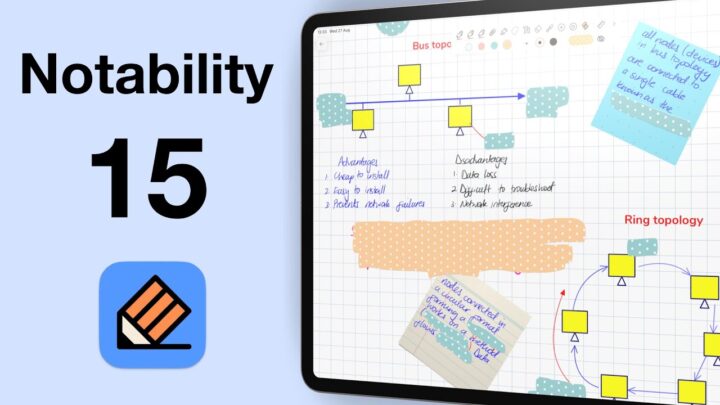
Fantastic human, hello! First it was Notability 15, and now Goodnotes 7 has arrived — the second version update for digital note-taking in 2025. On paper, this looks very exciting, so let’s dig into what’s new.
Pricing
The biggest talking point with Goodnotes 7 is pricing. Things have changed. We’re currently on the Special Edition, which is basically the one-time purchase version we had in Goodnotes 6. That used to cost $30. In Goodnotes 7, though, we think it’s now listed at $36. The developers haven’t really updated their pricing on App Store for Goodnotes 7. So it’s an educated guess.
Now, one thing I really appreciate is that subscribers finally get free digital stationery in the marketplace. This is such a nice touch and something I’m happy to see the developers adding. If you’re on the one-time purchase, you don’t get as much, but it’s still better than nothing. Hopefully the higher the plan, the more stationery you unlock.
Then we have the Essential plan. This is basically what the subscription used to be before — the cheapest subscription option. It doesn’t add much compared to the one-time purchase. The main difference is cross-platform sync, which you don’t get if you’re on the one-time version. The pricing is also hard to pin down. It used to be $10 a year, but now I’m seeing $12 a year — that’s a dollar a month, paid yearly.
The Pro plan is new, at $36 a year — so $3 a month. This adds content generation, AI summaries for meetings, and most importantly, real-time collaboration with private link sharing. The AI features don’t sound particularly useful for handwriting note-takers, but real-time collaboration is brilliant. The question is: is it worth the price? We’ll have to try it out and see.
No matter which package you choose, the AI Pass is a separate subscription: $10 a month. That’s actually more expensive than the app itself, which feels odd. It gives you way more credits — 6,000 compared to just 515 — and comes with a 7-day trial. We’ll test it later to see if it’s worth it, but honestly, I don’t think most of us handwriting note-takers need that much AI in our workflow.
For us, we’re sticking with the Special Edition one-time purchase for this review. We’ll reach out to the Goodnotes developers for free access to their Pro version a bit later.
Text Documents
One of the most exciting additions in Goodnotes 7 is text documents. I’m thrilled about this for two reasons. First, I’ve been typing more notes recently, especially on the Mac, so this makes Goodnotes much more useful for me there. Second, I love that Goodnotes is moving beyond just handwriting. Ideally, I’d want both text and handwriting on the same page, but this is still a big step forward.
Text documents support columns, tables, checklists, and a contents table. Text colour is limited though, which is disappointing — I blame Notion for this. On the Mac, text makes the most sense, especially when paired with AI. Let’s be honest — I don’t think anyone wants AI handwriting notes for them. If there’s one thing to learn from Noteshelf 3. So it’s great to see Goodnotes following this direction. AI is more useful with text documents.
Whiteboard
Another standout is the new whiteboard feature. An infinite canvas in Goodnotes! A whiteboard in a handwriting app is genuinely exciting. You get plenty of templates to help you get started, and the connectors are intuitive. With real-time collaboration, whiteboards could become a powerful way to brainstorm and plan in Goodnotes 7. And if you ever just wanted to have an endless paper to write all your thoughts on: Goodnotes 7 just about does it!
Shapes
Shapes also got a solid update. You can now adjust border thickness and type after you’ve drawn the shape. You can also add or remove fill, and even control its opacity. The fill colour is now the same as your border colour, but with the opacity option it is not bad at all. Plus, opacity is rare to see in handwriting apps, so we’ll take it.
Even better, you can handwrite or type directly inside your shapes now. I honestly don’t remember this being an option in Goodnotes 6, so I think it’s new. No one on our team ever thought to try this feature before now. So we were scratching our heads, thinking when did this come through? If anyone still has Goodnotes 6, let us know if we’re wrong. Coz none of our iPads have the older version of the app anymore.
Handwriting now sticks to your shapes and sticky notes too, which is exactly what we’ve always wanted. It just makes sense — your writing should stay anchored to the items you put it on.
Integration
Goodnotes 7 also introduces integrations. You can now send links to other apps — for me, that means Apple Reminders. So if I need to act on something from Goodnotes, I can link straight back to it. How awesome is that! We’ve wanted this for the longest time, and there have been workarounds but this simplicity is simply refreshing!
There’s also Google Calendar integration. This lets you view events in Goodnotes and create notes tied to them. In theory, it’s brilliant. In practice, it’s clunky. For me, it only picked up one past event, and setting it up was a pain. Hopefully the developers refine this and maybe add Apple Calendar integration too.
Toolbar Updates
Not everything in Goodnotes 7 is great, though. The toolbar has taken a step backwards. It’s no longer fully customisable. The first tool now is the lasso tool, and honestly, that’s the last thing I’d put first on a toolbar, in a handwriting app. Yet you can’t change it. This will frustrate me so much, I’d probably think thrice about using Goodnotes 7. The lasso tool just feels out of place, but it’s staring me in the face the entire time!
But it’s not all bad news for the lasso tool. It has slightly improved because we can now selectively pick shapes and arrows. I really want to move it though, and it’s really frustrating that I can’t. Is anyone else bothered by that as much as I am? I really like having things in their right positions, and don’t do well when they are changed or moved around.
The audio recording icon has also changed. You now get a record-and-summarise option, which I think would’ve been better as a simple microphone icon, the way it’s always been. Oddly enough, that microphone icon only shows up when you’re typing notes in the text document.
And the drop-down menu for recordings, the zoom window, Ruler, and Timer isn’t ideal either, especially for people who rely on those features often. The developers probably chose to hide those features because few people use them. But, for those few, it really can break a workflow; which is why a fully customisable toolbar was the best setup for everyone. Let’s hope the developers listen and restore full toolbar customisation in future updates.
Wrap Up
So, Goodnotes 7 is definitely one of the biggest updates we’ve had in years. New pricing, text documents, whiteboards, better shapes, integrations, and some unwanted changes to the toolbar. There’s plenty to be excited about, and some frustrations too.
I love the Goodnotes 7 update, but that fixed lasso tool is not good for my mental health. I am not exaggerating this, guys. If you don’t have disabling impulses, like I do, though; this is the one update that has sealed Goodnotes’ top position in digital note-taking.
We compared Goodnotes 6 to Notability 15, and that was probably the last time it made sense to compare the two. Now, against Goodnotes 7, what would we even compare? We’ll be testing the Pro plan and AI Pass to see if they’re worth it, once the developers give us access to them. What do you think about Goodnotes 7?